The typical architecture
An operation's infrastructure is compartmentalised in layers to resist detection and the Blue Team's countermeasures. If one element is discovered, it is replaced without compromising the rest.
Compartmentalised C2 servers
A short-term C2 (interactive, risky) is kept separate from a long-term C2 (slow beaconing, only to regain access). Detection of one does not lose the other.
Redirectors
Proxies that only forward traffic matching the expected profile (headers, paths, user agent) to the C2. Analysts and scanners see an ordinary website.
Domains and reputation
Domains registered weeks in advance, categorised (health, finance, technology) to pass proxies, with valid certificates and credible content.
Offensive logging
Every command is timestamped and archived. This is essential for the report timeline, deconfliction and proof that the rules of engagement were respected.
Command and control frameworks
The C2 framework is the heart of the operation: it generates implants, manages sessions and orchestrates actions. The landscape is rich, between commercial offerings and open-source projects:
| Framework | Type | Notable characteristics |
|---|---|---|
| Cobalt Strike | Commercial | The historical reference, very rich and highly customisable. Cracked versions are widely used by criminals, so it is well detected by default |
| Brute Ratel C4 | Commercial | Designed for EDR evasion, used in advanced Red Team work |
| Nighthawk | Commercial | Stealth-focused, reserved for vetted teams |
| Sliver | Open source | Cross-platform, various protocols (mTLS, HTTP/S, DNS, WireGuard), very popular |
| Mythic | Open source | Modular architecture with interchangeable agents and a collaborative interface |
| Havoc | Open source | Modern interface, designed as an open alternative to commercial C2s |
Tooling by phase
| Phase | Tool category | Well-known examples | Use in a Red Team |
|---|---|---|---|
| Reconnaissance | OSINT, enumeration | Amass, Shodan, theHarvester, SpiderFoot | Map domains, exposed services, employees |
| Initial access | Phishing | GoPhish, Evilginx | Targeted campaigns, demonstrating weak MFA bypass |
| AD discovery | Graph analysis | BloodHound, SharpHound | Visualise attack paths to privileged accounts |
| Credentials | Kerberos, memory, network | Rubeus, Mimikatz, Responder | Demonstrate exposure of authentication secrets |
| Lateral movement | Windows protocols | Impacket, NetExec | Remote execution with obtained credentials |
| Certificates | AD CS | Certipy, Certify | Identify and demonstrate vulnerable certificate templates |
| Cloud | Azure, AWS, M365 | ROADtools, AzureHound, Pacu | Attack paths in Entra ID and cloud environments |
| Web | Interception proxy | Burp Suite | Test exposed applications |
BloodHound, the tool that changed defence
BloodHound models Active Directory as a graph: users, groups, computers, sessions, rights. It answers in seconds the question "what is the shortest path from a standard user to Domain Admin?". It is used by defenders as much as by attackers. Regularly running an attack path analysis on your directory is one of the most cost-effective defensive measures there is.
// Shortest paths to the Domain Admins group
MATCH p = shortestPath((u:User {enabled:true})-[*1..]->(g:Group))
WHERE g.name STARTS WITH "DOMAIN ADMINS@"
RETURN p LIMIT 25
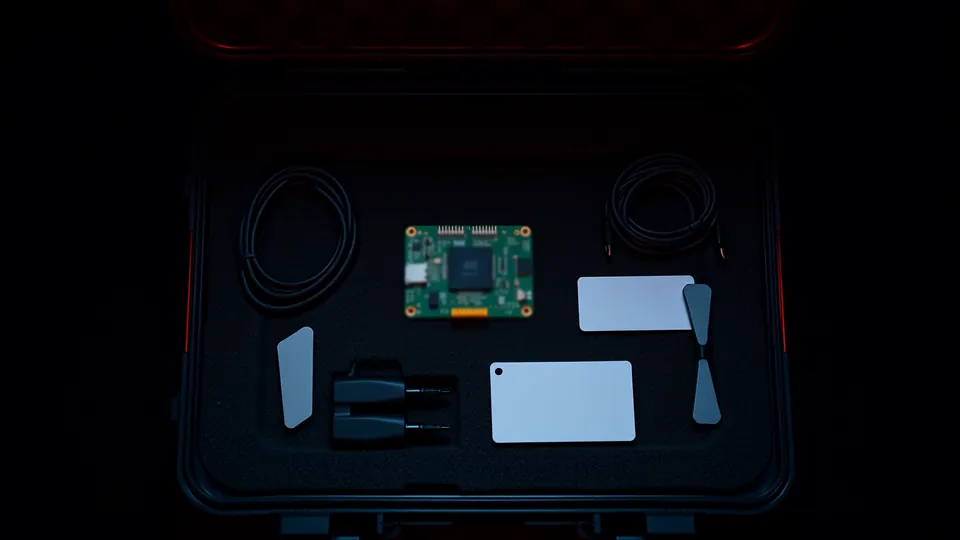
Field hardware
For physical and wireless tests, the team carries a discreet kit:
Network implants
Mini-computers or disguised adapters that establish an encrypted outbound tunnel once plugged into a network socket.
RFID readers
To read and copy vulnerable badges at short range, and demonstrate the value of migrating to encrypted badges.
Wireless equipment
Compatible antennas and cards to assess Wi-Fi networks: guest portals, rogue access points, misconfigured enterprise protocols.
Injection devices
USB devices that present themselves as a keyboard and type commands, to test peripheral control.
Lock picking kit
Picks, tension tools, door bypass tools, to assess mechanical security.
Outfit and pretext
Vests, visitor badges, clipboards, fake work orders: the most effective equipment is not electronic.
OPSEC: the discipline that makes the difference
OPSEC (operational security) is the set of precautions that prevent the defence from detecting or attributing offensive activity. It is what distinguishes a Red Team from a noisy penetration test.
OPSEC principles of a professional operation
- Understand the logs generated by each action
- Prefer native tools to introduced binaries
- Respect usual hours and volumes
- Compartmentalise infrastructure by phase
- Never reuse a burned indicator
- Test payloads against the target EDR in a lab
- Encrypt and protect collected data
- Clean up completely at the end of the exercise
Frequently asked questions
Why not simply use the default tools?
Because most EDRs detect them, and a real advanced attacker does not use them as is. The exercise would then measure the ability to block a known tool, not to detect a behaviour.
Do these tools pose a risk to my environment?
Used by professionals within the rules of engagement, no. They do not spread on their own, have no destructive payload and are removed at the end of the exercise. Every action is logged.
Can I receive the technical indicators of the exercise?
Yes. Domains, IP addresses, file hashes and artefacts are provided to the Blue Team after the operation, to check retrospectively what could have been detected and enrich detection rules.